

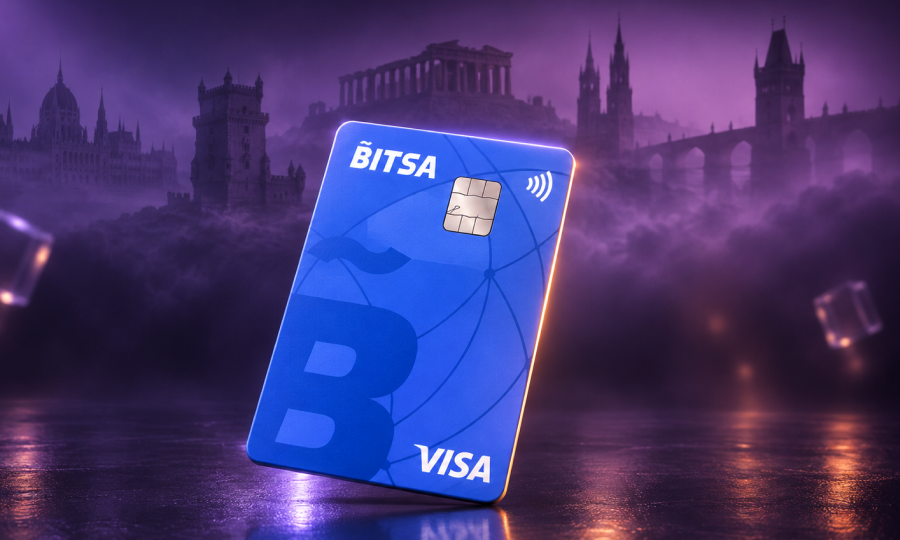
Virtual card: what it is, benefits and its limits in 2026
The term “virtual card” covers in common language several distinct products: the prepaid card without plastic issued by a fintech, the tokenised number that Apple Pay or Google Pay generate from a physical card, disposable single-use cards issued by neobanks like Revolut or specialised privacy services, and even certain subscription tokens some services call this. All share the characteristic of not existing in physical format, but differ substantially in how they work and what protection they offer.
This guide distinguishes those layers, analyses what real advantages each type of virtual card brings in 2026, and where it makes sense to use one instead of the usual physical card.
What a virtual card is in the strict sense
A virtual card is a payment card with the same four credentials as a physical one —number (PAN), expiry date, CVV and holder— but existing only in the issuer’s app or portal. No plastic. It’s issued in seconds, can be consulted and used from the phone, and operates on Visa or Mastercard networks like any other card.
Its natural use is online shopping: any website accepting Visa or Mastercard will accept the virtual card details. It also works for operations where card details are requested without physically inserting the card (subscribing to a service, authorising a recurring payment, verifying an account).
Some virtual cards are static: they keep the same details until they expire (usually 3 years). Others are single-use: a different number is generated for each purchase or each merchant. The technical difference substantially changes use cases.
Virtual card, mobile tokenisation and disposables: not the same thing
Four concepts that overlap in marketing but work differently.
Static virtual card. Permanent data that can be reused. Useful for recurring subscriptions, but if data is leaked, a third party can charge it until it’s cancelled. Example: Bitsa’s virtual card, N26, most traditional banks when they issue a virtual.
Disposable or single-use virtual card. A new number for each purchase. Maximum protection against leaks (the number no longer works after the operation), but incompatible with subscriptions that make recurring charges with the same number. Example: Revolut Disposable Virtual Cards. Usually in paid plans.
Merchant-locked virtual card. A specific number locked to a particular seller: only works with that merchant. If the site suffers a breach and leaks the data, it doesn’t work to pay elsewhere. Good balance between subscription and privacy.
Mobile tokenisation (Apple Pay, Google Pay, Samsung Pay). The physical card’s real number is replaced by a unique token linked to the device. Each payment sends a dynamic cryptogram calculated with Touch/Face ID or PIN. The real card number never circulates. It’s probably the most secure card payment system in the 2026 ecosystem, but requires the merchant to accept contactless or in-app payment.
Practical difference: a virtual card works on any website that requests card details; mobile tokenisation only works where Apple/Google Pay is directly accepted. They’re complementary tools, not equivalent.
How virtual card security works
A static virtual card operates with the same security protocol as any physical card in online payments: the EMV 3DS 2 standard, commonly called 3D Secure 2, required by PSD2 regulation in the European Union since 2019 and fully in force in 2026. Each online purchase above certain amounts requires strong customer authentication (SCA), which the issuer’s app manages by requesting biometric confirmation or PIN.
This is what really makes a virtual card secure, not the fact of not having plastic. A thief who knows the card data (number, CVV, date) without access to the holder’s phone can’t complete the purchase at most European merchants, because the authentication step fails.
Beyond this framework, three honest nuances:
Virtual card data can be leaked. If the merchant where it was used suffers a breach or if the phone is infected with malware, number and CVV can appear online. The common claim that “a virtual card can’t be cloned” is marketing: what can’t be cloned is the magnetic stripe, but the data entered on a website can be intercepted just like a physical one.
3D Secure isn’t infallible. Some international merchants operate under regimes not requiring strong authentication. In those cases, a charge with leaked data can succeed.
Identity impersonation in the issuer’s app still exists. Targeted phishing, SIM swap, and social engineering around verification codes are risks no virtual card eliminates on its own.
Real advantages of a virtual card
Immediate issuance. From requesting to being able to use it usually takes seconds or minutes, versus days for a physical card by mail.
Separation from the main account. If the issuer allows it (as in the case of prepaid cards), loading only the purchase or subscription amount limits exposure: even if data leaks, there’s no balance to lose beyond what was loaded.
Ease to cancel. Blocking a virtual card from the app cancels any future charge with its data. Useful for stopping subscriptions charged improperly or ending an unwanted recurring charge without having to unsubscribe from each service.
Multiplication by use case. Many issuers allow multiple virtual cards on the same account. Bitsa’s current plans, for example, allow up to four simultaneous virtual cards depending on plan, facilitating using one for fixed subscriptions, another for one-off purchases on unknown websites and another for ads or gaming platforms.
No plastic to lose. The card doesn’t travel in the wallet, isn’t forgotten at an ATM, doesn’t break.
Usually low or no cost. Most virtual cards are free of issuance and maintenance in basic plans. Physical cards usually have issuance cost (5-20 €).
Limits rarely mentioned
Not for in-person payment. Without plastic and without being linked to Apple/Google Pay, the virtual card doesn’t work at a physical POS. In-store purchases require either a physical card or mobile tokenisation.
Depends on the phone. Consulting data, receiving 3D Secure codes and managing the card requires an operational smartphone.
Data are still number, CVV and date. Unlike mobile tokenisation (where the number never leaves the device), the virtual card shares its data with each merchant where used.
Some services don’t accept prepaid cards. Certain subscriptions (some SaaS, streaming services, car rentals, hotels with reservation but pay-in-destination) reject prepaid cards to avoid insufficient balance issues.
Renewal and reissuance. When a static virtual card expires or is cancelled, all linked subscriptions stop working. They must be updated manually.
Use cases where a virtual card makes sense
Digital service subscriptions. Netflix, Spotify, Adobe, ChatGPT Plus, GitHub Copilot and dozens more accept virtual cards without issue. Having a dedicated virtual card only for subscriptions helps control recurring spending.
Purchases at international marketplaces. When using the card at international online stores, especially on unknown-reputation sites, a virtual card with limited balance protects the main account.
Advertising platforms (Meta Ads, Google Ads, TikTok Ads). These platforms charge automatically by consumption. A dedicated virtual card with controlled limit avoids unforeseen charges if the campaign gets out of control.
Verifications and trial periods. Many services request card data for the free trial and charge automatically at the end. Using a virtual card with zero or minimal balance allows verifying and avoiding subsequent charges.
Receiving online payments. With associated IBAN (as in Bitsa’s case), the virtual card also works as an account to receive SEPA transfers.
Crypto payments to spend in euros. A specific use of virtual cards integrated with crypto top-up: the Bitsa virtual card allows loading directly from BTC, ETH, USDT or other supported cryptocurrencies to spend at any Visa online merchant without going through a centralised exchange.
How to get a virtual card
- Download the issuer’s app (iOS or Android).
- Register with email, phone and basic data.
- Complete KYC verification. In Bitsa’s case, passport, NIE or DNI are accepted. General requirement: be of legal age.
- Request virtual card issuance.
- Top up the card with desired balance before using it (SEPA transfer, another card, voucher or cryptocurrency depending on issuer).
Frequently asked questions about virtual cards
Is a virtual card safer than a physical card for online shopping?
For online payments there’s no significant technical difference in the protocol (both use 3D Secure 2 in the EU). The real advantage of the virtual is ease of blocking, having it with limited balance and having several differentiated by use case, not that it’s intrinsically safer against data cloning.
Does a virtual card work for paying in physical stores?
Not directly, because it has no plastic. It can work in-store if added to Apple Pay or Google Pay (compatible with most issuers), in which case payment is by NFC from the phone or smartwatch.
Can I have several virtual cards at once?
Most issuers allow it. Bitsa, for example, offers up to four simultaneous virtual cards depending on plan contracted, useful for separating subscriptions, one-off purchases and other uses on different cards.
Can money be received on a virtual card?
Yes, when the issuer assigns an IBAN to the account. In that case the virtual card also works as a receiver account for SEPA transfers. Not all virtual cards from all issuers have associated IBAN.
What do I do if there’s an improper charge on a virtual card?
First, block the card from the app to avoid additional charges. Second, complain to the issuer through official channels providing evidence. Under PSD2, on unauthorised operations the issuer must refund the amount except in case of proven gross negligence by the holder.