

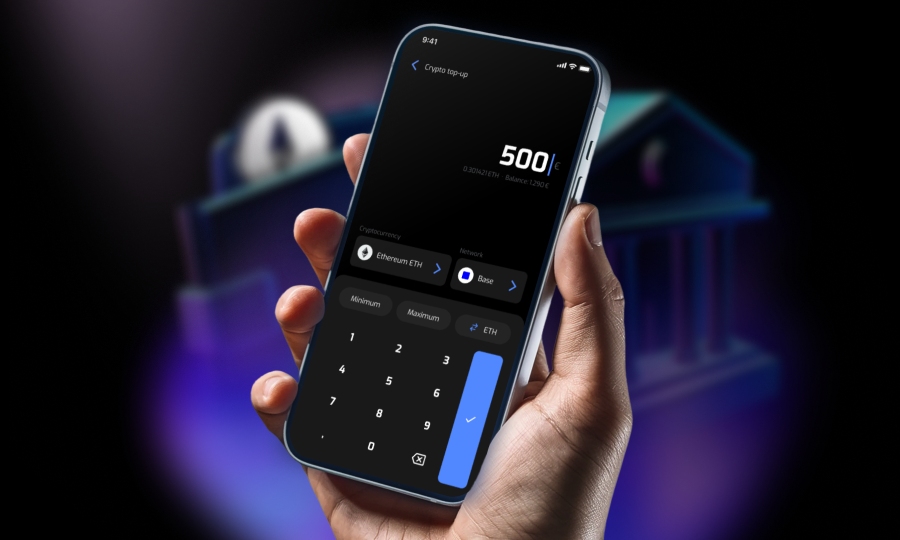
How to top up your Bitsa card with cryptocurrencies?
You have crypto and you want to put it to use. Not to speculate or wait for the perfect moment, but to pay in stores, book trips, or cover everyday expenses. The problem is that real life runs on euros.
The solution is to top up your Bitsa card with cryptocurrencies: you convert your crypto balance into euros. They’ll be available on your card, ready to spend whenever and however you want.
Which cryptocurrencies can you use to top up Bitsa?
Bitsa supports a wide range of cryptocurrencies for card top-ups. These are currently available:
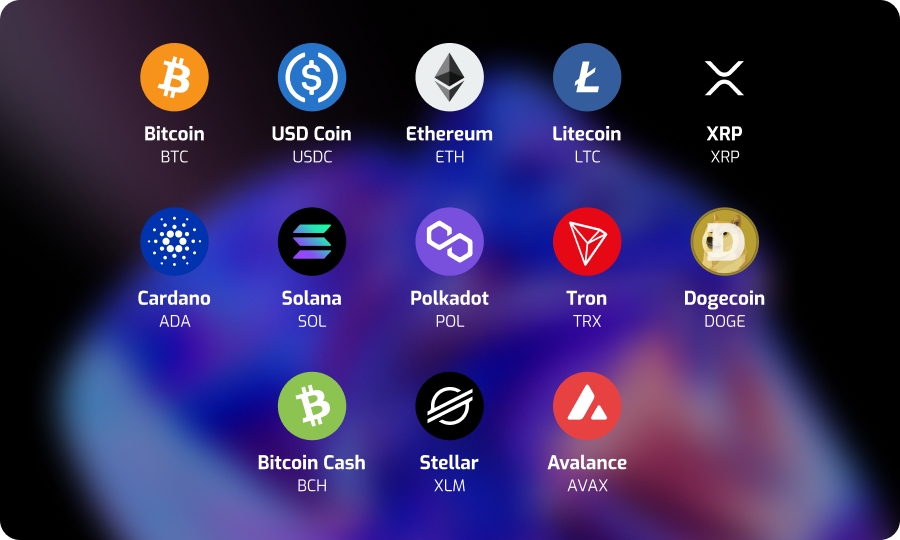
If you don’t see one of these options at the time of topping up, check directly in the app, the list is updated regularly. Regardless of the cryptocurrency you use, the top-up method is the same.
Step by step: how to top up your Bitsa card with cryptocurrencies
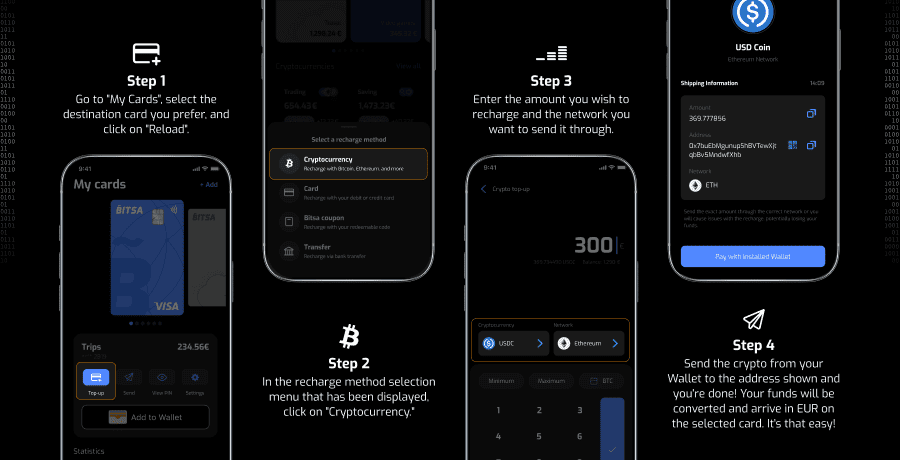
The entire process is done from the Bitsa app. You log in, choose the cryptocurrency, enter the amount, and confirm. In just a few steps, your crypto is converted into ready-to-spend balance on your card.
- Open the Bitsa app and go to the “Top up” section
- Select “Cryptocurrency” as your top-up method
- Choose the cryptocurrency you want to use
- Enter the amount you can input it in crypto or euros, whichever you prefer.
- The app will generate a blockchain address. Send the amount from your external wallet or exchange to that address.
- Once the transaction is confirmed on the blockchain, Bitsa automatically converts the crypto into euros.
- The balance appears on your Bitsa card, ready to spend.
⚠️ Important: The blockchain address generated by Bitsa changes with every transaction. Do not reuse addresses from previous top-ups. If you have one saved, don’t use it, always generate a new one from the app.
What to check before completing your top-up
If your balance doesn’t appear after topping up, it’s important to review these points before doing anything else.
Start by making sure the cryptocurrency you sent matches exactly the one you selected in the app. Sending a different crypto to the generated address can result in a permanent loss of funds, with no way to recover them. This is the most critical issue to rule out first.
If that’s correct, check the amount. Make sure you entered it in the right unit, either crypto or euros, and that the amount sent matches what you intended to top up. Unit mix-ups, like entering euros when the app expects crypto or the other way around, are more common than you’d think. Also keep in mind that if you sent the crypto from an exchange, fees may have been applied, reducing the amount that actually arrives.
Confirmation times depend on the blockchain network and its current conditions. If the network is congested, the transaction may take longer than usual. The app updates the status in real time, so the best option is simply to wait until it’s completed.

Finally, check your account limits. If you’ve exceeded the top-up limits associated with your plan, the transaction may not be processed. You can review your limits directly in the app.
If you’ve checked all these points and the top-up still doesn’t appear, contact the Bitsa support team.
What can you do with a crypto-powered prepaid card?
With balance on your Bitsa card, you can pay at any merchant that accepts Visa. At your local shop, on Amazon, on online gaming platforms, on Booking or for any digital subscription. The balance works the same regardless of how it was added to the card.
This changes how you think about crypto. There’s no need to wait for the perfect moment to sell or go through long conversion processes. You decide how much to convert, top up that amount and spend it whenever you want. The rest stays where it is.
Crypto has more utility than it seems when you have a card that lets you convert it into spendable balance instantly. No need to sell on an exchange, wait for transfers, or open additional accounts. You top up what you need, and the rest stays untouched. If you don’t have your Bitsa yet, it all starts by downloading the app.