

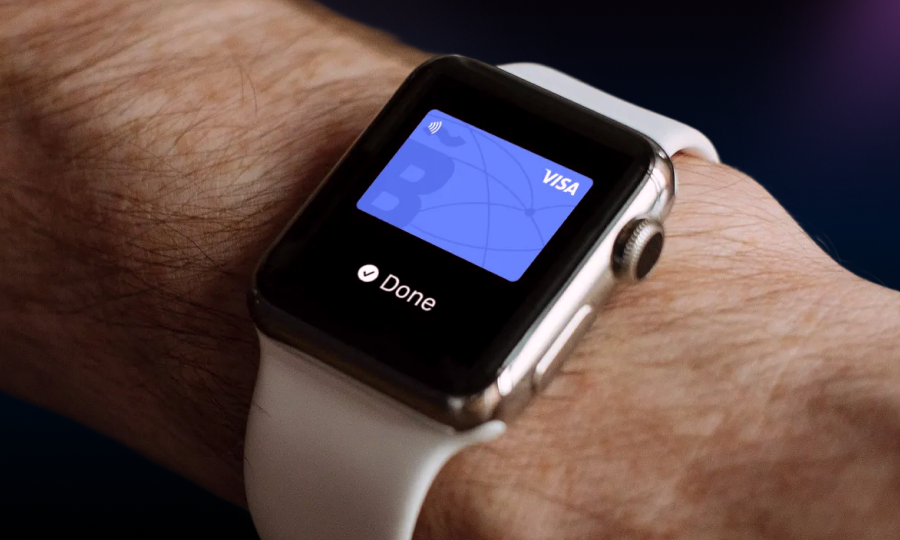
What is Apple Pay? Now you can have your Bitsa on your iPhone!
Apple Pay is Apple’s contactless payment system for iPhone, iPad, Apple Watch and Mac, compatible with the Bitsa prepaid card, built to pay without carrying the physical card. Its core piece is tokenisation: the merchant never sees the card’s real number, only a unique token generated for the device.
This guide covers how the technology works, how to add the Bitsa card step by step, where Apple Pay can be used, and what happens if the phone is lost.
How Apple Pay technically works
When a card is added to Apple Pay, the system doesn’t store the real number on the device or on Apple’s servers. Instead, a Device Account Number is generated, a token exclusive to that iPhone or Apple Watch, kept encrypted in a dedicated chip called the secure element.
Each payment combines that token with a dynamic cryptogram unique to the operation. The merchant receives the token and the cryptogram, never the card’s real number, which limits the damage if the merchant’s data leaks in a future breach. The same tokenisation logic applies to the virtual prepaid card.
How to add the Bitsa card to Apple Pay
The process has four steps from a compatible iPhone or Apple Watch:
- Open the Wallet app and tap add card.
- Enter the Bitsa card details by scanning it with the camera or manually (number, expiry date).
- Accept the terms and conditions Apple proposes for the service.
- Verify identity via an SMS code sent to the phone number registered on the Bitsa account.
Once these steps are done, the card is ready for contactless payment in stores or for purchases in compatible apps and websites.
Where and how Apple Pay can be used
Apple Pay works at any merchant accepting contactless payments and displaying the relevant symbol on the terminal, not restricted to a closed list of stores. It also works within apps and websites that integrate Apple Pay as a payment method, without manually entering card details on each purchase.
To pay in-store, the device is tapped against the terminal and the payment is authenticated with Touch ID, Face ID or the device passcode, depending on the model. In apps and on the web, Apple Pay is selected as payment method and confirmed with the same authentication.
How secure Apple Pay is
Apple has publicly stated it doesn’t keep the card’s real number or the full transaction history tied to that number on its servers. The token generated for each device is the only thing that circulates on every operation.
If the phone or watch is lost, whoever finds it can’t pay without the device’s biometric authentication or passcode, and can only see the last 4 digits of stored cards, never the full number. Remotely locking the device from the associated Apple account stops any attempted use immediately.
This tokenisation model follows the EMV technology standard, and each operation’s authentication complies with EU PSD2 payment services regulation. Beyond the phone, the Bitsa card also allows withdrawing cash at the ATM from your phone using the same system.
Frequently asked questions about Apple Pay and the Bitsa card
Do I need the physical card once I’ve added it to Apple Pay?
Not for paying with the phone or watch, but it’s worth keeping it for ATMs or terminals that don’t accept contactless, and for operations requiring the card’s physical PIN.
Does Apple store my Bitsa card number?
No. Apple has stated it doesn’t store the real card number on its servers or the device; instead a unique token generated for that iPhone or Apple Watch circulates.
Can I have the Bitsa card on several Apple devices at once?
Yes, each device generates its own independent token when the card is added, so it can be on both the iPhone and the Apple Watch simultaneously.
What happens if my iPhone runs out of battery when paying?
On recent models, Express Transit-type features allow some payments at very low battery, but it isn’t guaranteed on every model or every operation; worth not relying on it for important payments.
Can I use Apple Pay to withdraw cash at an ATM?
Yes, if the ATM displays the contactless payment symbol, cash can be withdrawn by tapping the phone against it without the physical card, using the same tokenisation system.